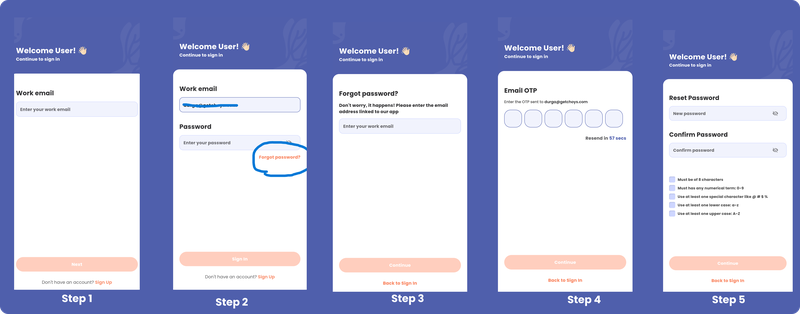
Forgot your password? No worries. Here’s how to reset it and get back into the CHOYS app:
Step 1: On the login screen, enter your email address.
Step 2: Tap “Forgot Password?”
Step 3: Re-enter your email address to request a reset code.
Step 4: Check your email and enter the verification code you received.
Step 5: Create a new password, confirm it, and submit.
Step 6: Use your new password to log back into the CHOYS app.